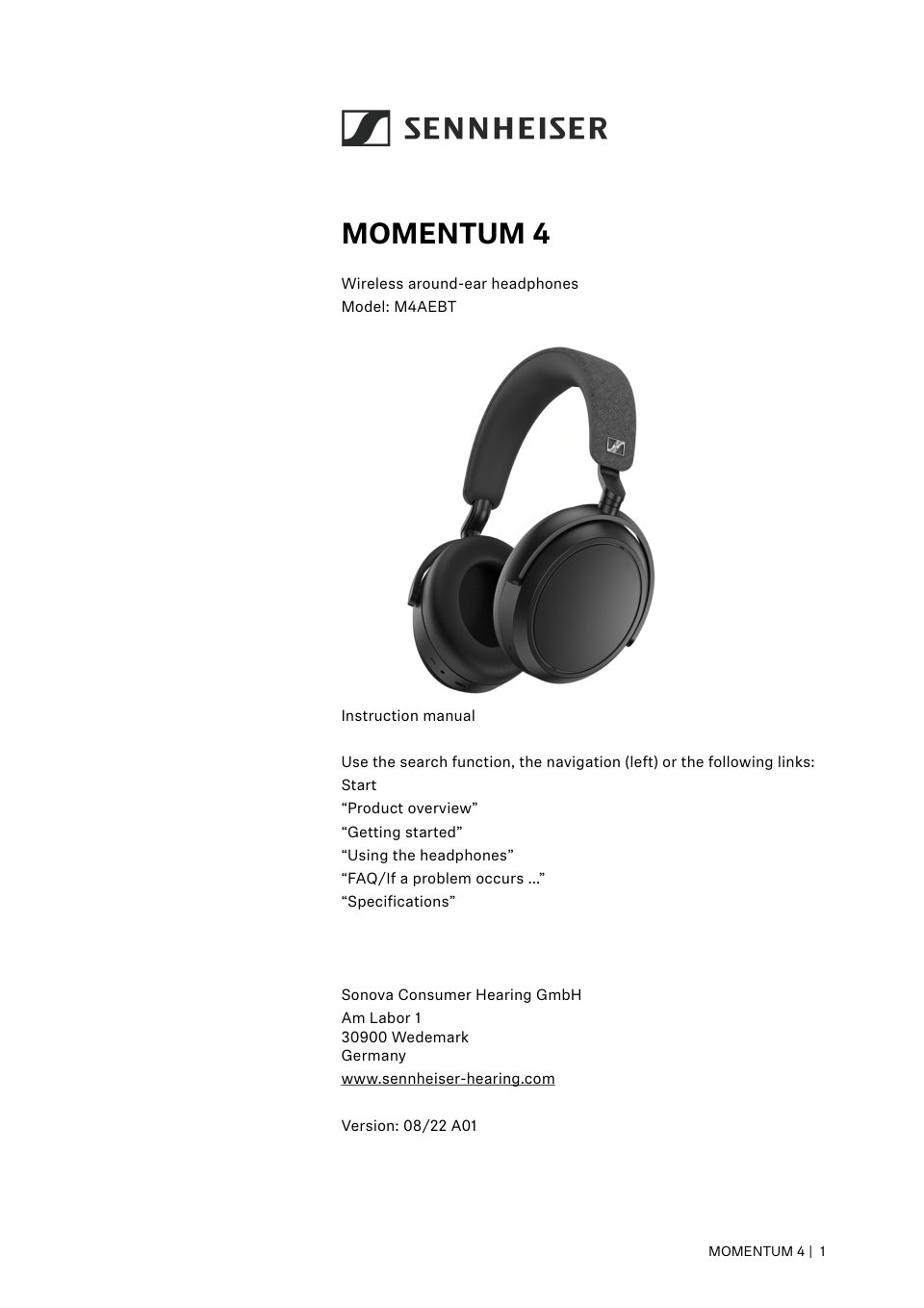
Инструкция беспроводные/проводные наушники Sennheiser MOMENTUM 4 белый 2022

Карточка инструкции: Беспроводные/проводные наушники Sennheiser MOMENTUM 4 белый 2022. Документ содержит 44 страницы. Раздел: Наушники и гарнитуры. Бренд: Sennheiser. Доступны оглавление, просмотр по страницам и PDF для…

Раздел: ТВ, консоли и аудио / Аудиотехника / Наушники и гарнитуры

Бренд: Sennheiser

Объём44страниц в документе
Файл5.2 MBразмер PDF
Русский языкНетне обнаружен в документе
Беспроводные/проводные наушники Sennheiser MOMENTUM 4 белый 2022

Страница 1

MOMENTUM 4 Wireless around-ear headphones Model: M4AEBT Instruction manual Use the search function, the navigation (left) or the following links: Start “Product overview” “Getting started” “Using the headphones” “FAQ/If…

Читать страницу

Страница 2

Important safety instructions Important safety instructions ▷Read this instruction manual carefully and completely before using the product. ▷Always include this instruction manual when passing the product on to third p…

Читать страницу

Страница 3

Important safety instructions Only use rechargeable batteries and chargers recom­ mended by Sonova Consumer Hearing. Do not leave the product / rechargeable batteries unat­ tended while charging. Only charge the product…

Читать страницу

Страница 4

Important safety instructions Sonova Consumer Hearing GmbH does not accept liability for damage arising from misuse or improper use of this product and its attachments/accessories. Sonova Consumer Hearing GmbH is not li…

Читать страницу

Страница 5

Package contents Package contents MOMENTUM 4 around-ear headphones Model: M4AEBT USB charging cable with USB-C and USB-A connector, length approx. 1.2 m Analog audio cable with 3.5 mm jack plug and 2.5 mm jack plug, len…

Читать страницу

Страница 6

Product overview Product overview MOMENTUM 4 Model: M4AEBT 1 5 2 2 3 4 R 0 A R 0 6 9 7 8 6 Headband, steplessly adjustable Ear cups Multi-function button of the headphones: • On/off button • Voice assistant button • Pai…

Читать страницу

Страница 7

Product overview LED display Microphones for active noise cancellation ANC: 2x directed outward, 2x directed inward (not visible) Touch pad (outside of the right ear cup) Overview of the smart control Switch-on of the h…

Читать страницу

Страница 8

Product overview Gesture control via the touch pad • Tapping • Horizontal swipe • Vertical swipe • Stretch R • Pinch R You can also disable the touch pad function, see: > 34 The headphones are equipped with a sensor tha…

Читать страницу
Important safety instructions
2
Package contents
5
Product overview
6
Getting started
12
Using the headphones
14
Information on the rechargeable battery and the charging process
14
Charging the headphones' rechargeable battery
14
Connecting the headphones to a Bluetooth device
15
Information on the Bluetooth wireless connection
16
Pairing the headphones with a Bluetooth device
17
Switching the connection to paired Bluetooth devices/“Connections”
18
Disconnecting the headphones from a Bluetooth device
18
Installing the Smart Control app
19
Switching the headphones on
19
Switching the headphones off
20
Putting the headphones on and adjusting the headband
21
Retrieving information on the battery charge status
22
Adjusting the volume
22
Information on active noise cancellation ANC
24
Information on the Transparency Mode – Listening to ambient sounds or conversations
24
Switching between the active noise cancellation ANC and the Transparency Mode
25
Adjusting the playback pause in Transparency Mode
25
Increasing/decreasing the active noise cancellation ANC and the Transparency Mode
26
Adjusting the active noise cancellation ANC
26
Listening to music using the headphones
28
Controlling music playback
28
Making phone calls using the headphones
29
Using the Sidetone function
31
Using the voice assistant/voice dialing
32
Using the Smart Pause function
33
Adjusting sound effects/the equalizer
34
Setting the voice prompts/sound signals
34
Deactivating the touch pad function
34
Deactivating Bluetooth/activating flight mode
34
Using the audio cable/activating flight mode
35
Connecting the headphones using the audio cable
36
Using the in-flight adapter
36
Connecting the headphones using the USB cable
37
Storing and transporting the headphones
37
Care and maintenance
38
FAQ/If a problem occurs ...
40
Specifications
42
Manufacturer Declarations
43
ТВ, консоли и аудио / Аудиотехника / Наушники и гарнитуры

A4Tech Bloody G260p

2 стр.
ТВ, консоли и аудио / Аудиотехника / Наушники и гарнитуры

A4Tech Bloody G521

2 стр.
ТВ, консоли и аудио / Аудиотехника / Наушники и гарнитуры

A4Tech Bloody G560 Naraka

2 стр.
ТВ, консоли и аудио / Аудиотехника / Наушники и гарнитуры

A4Tech Bloody G560 Naraka

2 стр.
ТВ, консоли и аудио / Аудиотехника / Наушники и гарнитуры

ARDOR GAMING Edge Wireless

8 стр.
ТВ, консоли и аудио / Аудиотехника / Наушники и гарнитуры

ARDOR GAMING Edge Wireless

8 стр.